Audio-reactive video,
lazily made.
Drop an audio file, pick a preset, render to any format. No timeline wrestling, no keyframes, no render farm. Just a finished video in under a minute.
Everything you need. Nothing you don’t.
Built for the “I just need a video for my single” moment, not a month of After Effects tutorials.
Circular visualizers
Spectrum orbs, radial bars, stacked rings. All audio-reactive, all smooth at 60fps.
Layers that stack
Background, logo, lyrics, particles, paths. Mix them without a timeline fight.
Any aspect ratio
16:9 for YouTube, 9:16 for Reels/Shorts, 1:1 for the grid. One project, three renders.
Fast exports
WebCodecs AVC + ffmpeg fallback. Transparent ProRes if you need to composite.
Live preview
Scrub the timeline, see it update. No “preparing...” spinner for every tweak.
Lyrics support
Paste plain text or import an .lrc. Lyrics time themselves to the waveform.
Built around the three things you actually do.
Pick a project. Make it look right. Hit render. That’s the whole app.
Start in ten seconds.
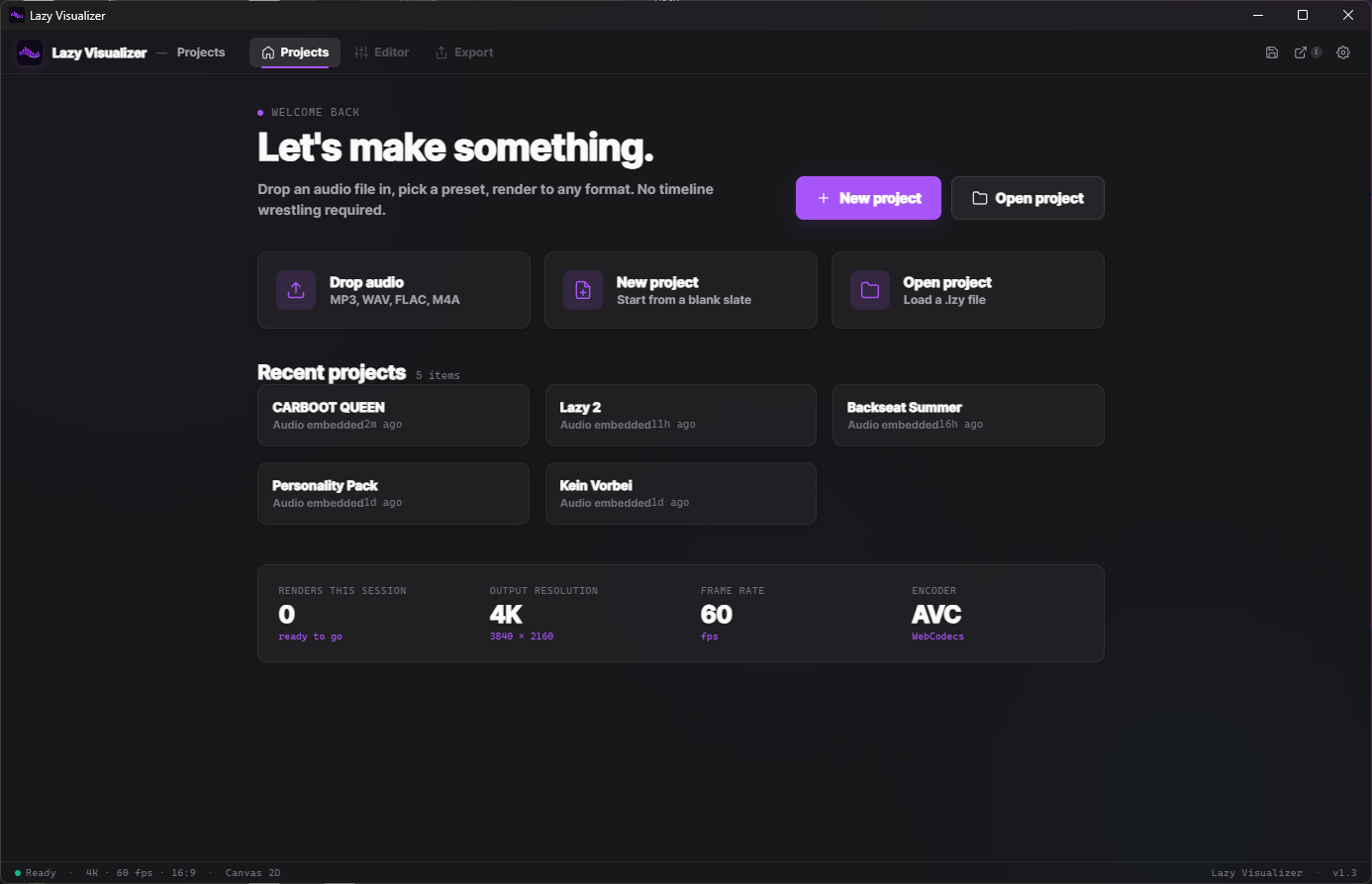
Drop an audio file on the window, or open a saved .lzy project. Recents are right there. No login, no cloud.
- MP3, WAV, FLAC, M4A — drag, drop, done.
- Projects save locally. Yours stay yours.
- Render counter tells you what you’ve shipped this session.
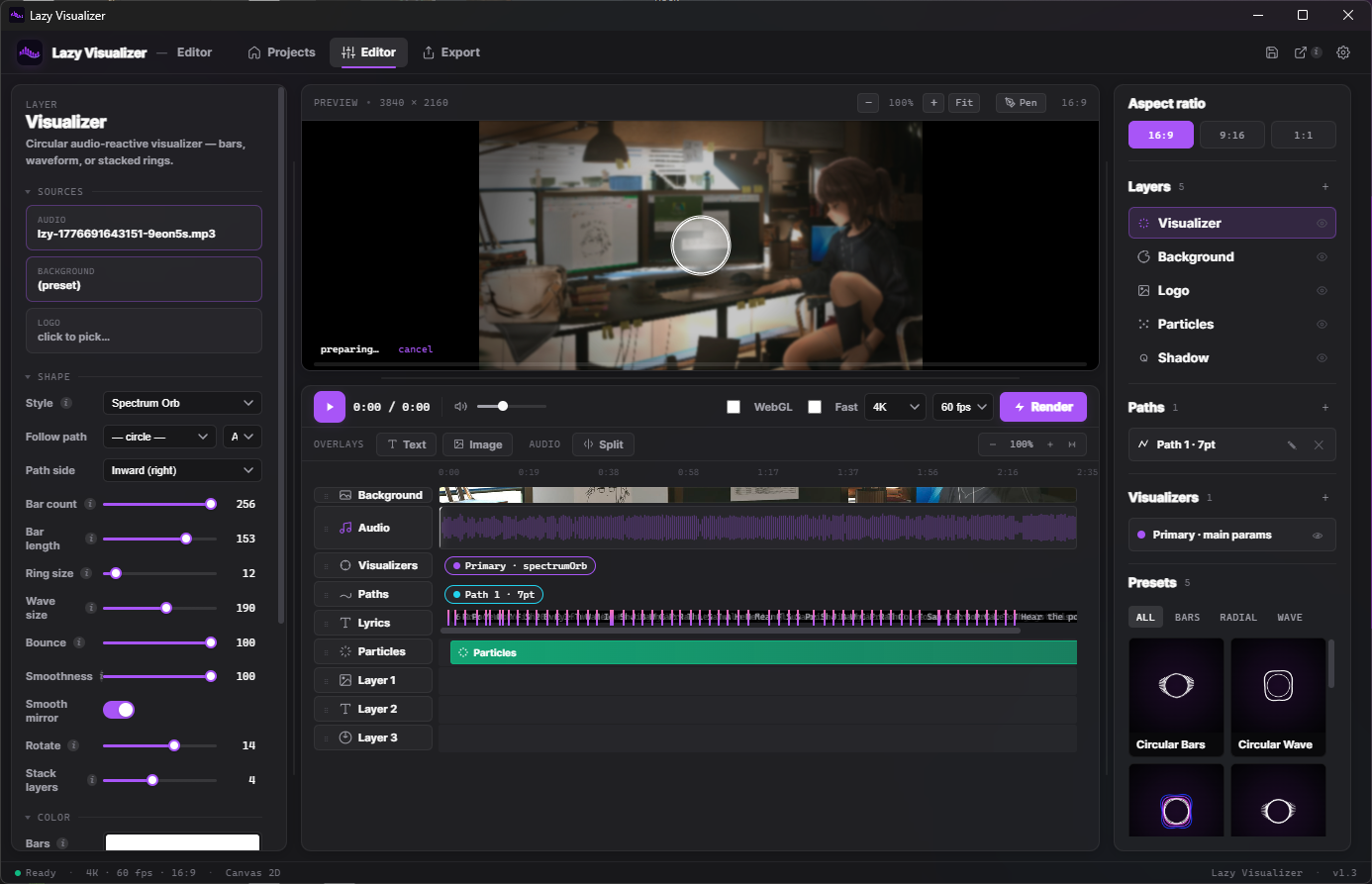
Everything on one screen.
Shape on the left, preview in the middle, layers and presets on the right. No modal diving, no hunting through menus.
- Live preview at 60fps with scrubbable timeline.
- Stack up to 8 layers — paths, lyrics, logos, particles.
- One-click preset swap without losing your audio or layers.
One license. Zero friction.
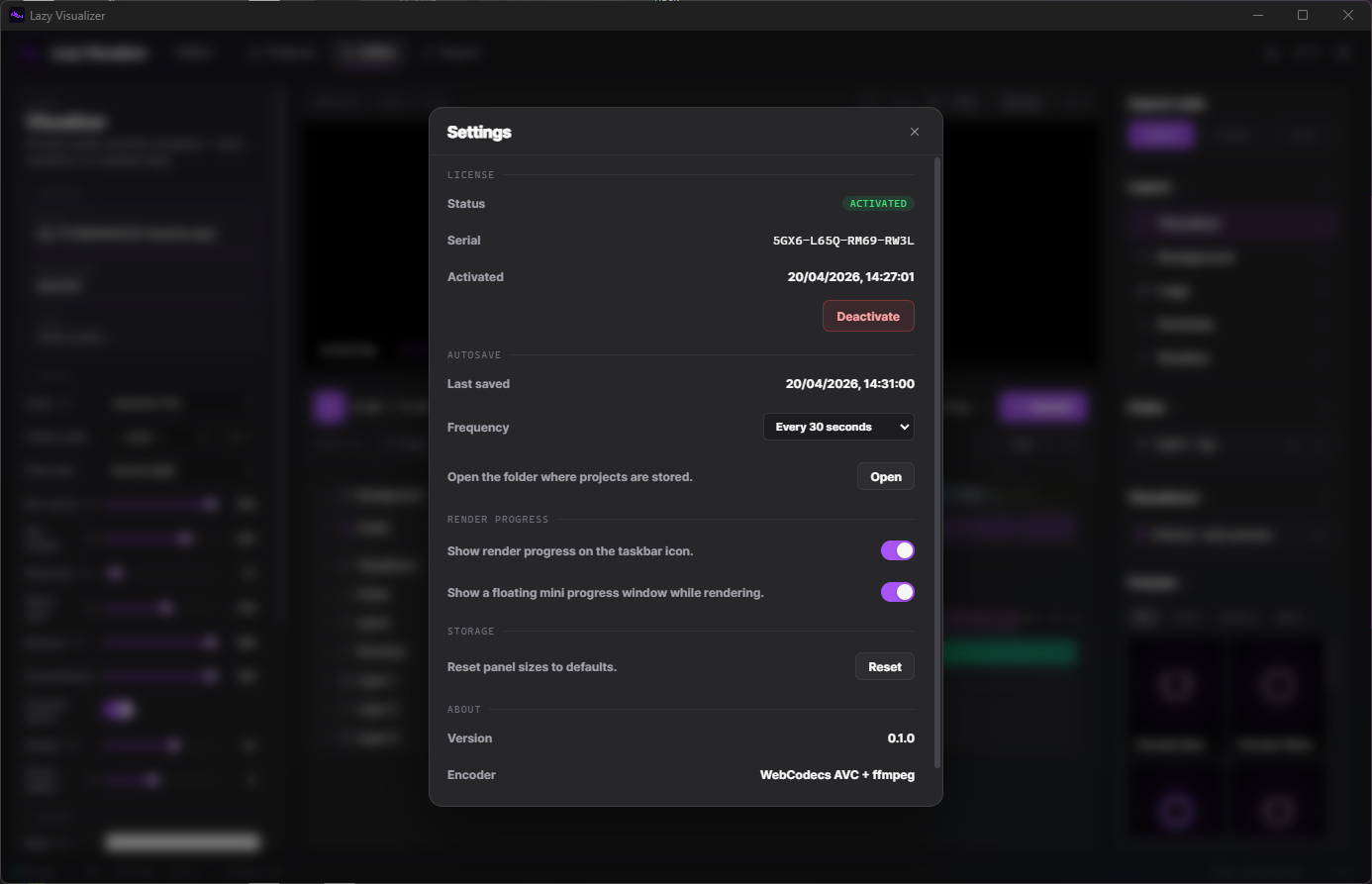
Activate once with your serial. Autosave every 30 seconds. Render progress on the taskbar so you can step away.
- Activation stays local — no phone-home every launch.
- Autosave is opt-in frequencies, not bottomless log files.
- WebCodecs AVC + ffmpeg fallback, chosen per export.
42 presets. All tweakable.
Start from one. Swap bars for waves, adjust bounce and smoothness, save your own — they’re just JSON under the hood.
The boring but important details.
Works everywhere your stuff ends up. If it doesn’t, we refund.
.lzy project files embed audio or link · open in any versionBuy once. Keep it.
One serial, one install, forever. Major updates are free for a year; minor ones are free for life.
Try it, no card required.
Single device. Full features. No watermark.
- All 42 presets, full export quality
- No watermark on renders
- Windows & macOS builds
- Limited to 1 device
- No major-update entitlement
Everything, all presets, both platforms.
Use on up to 2 machines. Not a subscription.
- Windows and macOS (Apple Silicon) builds
- 42 built-in presets + your own custom ones
- Unlimited renders — no watermark, ever
- 4K export, ProRes 4444, transparent PNG sequences
- 1 year of major updates · lifetime of minor updates
- 14-day refund if it doesn’t click for you
The ones we actually get asked.
Still stuck? Email hi@lazylabs.studio — a human replies.